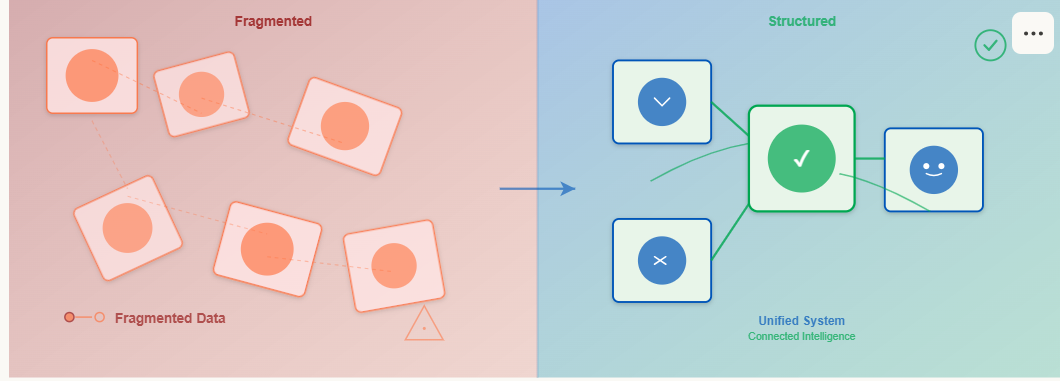
In many organizations, the Development and Operations teams still work in silos. This separation causes delays, miscommunication and friction, especially during events such as feature rollout or bug fixing. DevOps was created to close that gap, focusing on quicker delivery, improved teamwork, and reliability. Jira Service Management (JSM) is one tool that helps teams to align more for this purpose.
“DevOps is not a goal, but a never-ending process of continual improvement.” — Jez Humble, co-author of “Continuous Delivery” (https://dev.to/rainleander/the-future-of-devops-5chl)
Let us look into ways that Jira Service Management facilitates and makes that improvement easier for your teams of Dev and Ops so that they can work together instead of beside each other.
- Shared visibility with linked workflows: In many teams, developers track development work in Jira Software, while Ops teams manage incidents and service requests using Jira Service Management. Linking these tools serves as a shared system of record.
For example: An issue raised by Ops in JSM could be linked to a bug ticket in Jira Software. Both teams can update status, share comments and monitor progress in real-time. So, this implies fewer emails or status meetings. Everything is transparent, and everyone is aware of who is working on what.
- Incident management meets Dev context: Jira Service Management provides native incident management capabilities including
- Incident classification (minor, major, critical),
-
- Escalation workflows. and
-
- Post-incident reviews (PIRs).
This makes it powerful especially when Devs are pulled into critical incidents:
- Ops may tag Devs on incidents and assign them to tasks.
- Developers respond within JSM using the same language and framework.
With integrations such as Opsgenie, alerts can be routed automatically to the appropriate on-call engineer, thereby guaranteeing the fastest possible response time without any guesswork.
- Change management that doesn’t slow you down: Traditional change management means long approval cycles, change advisory boards (CABs) and lots of paperwork. In contrast, modern teams need to deploy frequently, sometime more than once in a day.
JSM’s Change Management module is well-placed for a DevOps environment:
- It allows teams to define different change types (standard, normal, emergency).
- Changes triggered by CI/CD tools (like Jenkins, Bitbucket Pipelines, or GitHub Actions) can auto-fill deployment details.
- Approvals can be automated for standard changes, reducing manual overhead
With risk assessments and colleagues reviews built-in, you still get control of everything without creating bottlenecks.
- Service Requests Integrated into Dev Workflow: Service requests frequently involve access management, tool provisioning, or environment setups. By using custom request types in JSM:
- A user can file a request through a simplified form.
-
- Workflows can route directly to the right developer or team.
-
- Approvals and SLAs are tracked transparently.
This removes all the guesswork from the interaction and reinforces turnaround time.
- Post-Incident reviews for continuous learning: Post-incident, Jira Service Management supports structured Post-Incident Reviews (PIRs), including:
- Timeline of actions taken
-
- Root cause analysis
-
- Lessons learned
-
- Action items for follow-up
This is in perfect alignment with continuous improvement concepts in DevOps. PIR templates can be saved and reused, such that they are brought up informally during retrospectives or formally during audits.
- Automation reduces human error: Automation rules are enable us to:
- Auto-close resolved tickets after an inactivity period.
-
- Assign issues by category or urgency.
-
- Notify teams using Slack or MS Teams.
-
- Trigger changes in deployment systems.
This means Dev and Ops can work together on meaningful projects rather than managing just administrative tasks.
- Knowledge sharing via Integrated Confluence: With the integration of Confluence into JSM:
- Devs can document known issues or code fixes.
-
- Ops can write Knowledge Base (KB) articles on common service requests.
-
- Newbies can locate necessary information quickly instead of asking the same questions.
This sharing of knowledge helps both parties to reduce repetitive effort.
DevOps is not about tools. It is about mind-set. That said, good tools such as Jira Service Management can cultivate that mind-set by allowing faster communication, shared visibility, and smoother processes.
As you aim to bring Dev and Ops closer, start with small steps:
- Link your tools.
- Align your workflows.
- Automate wherever you can.
- Learn from every incident.